
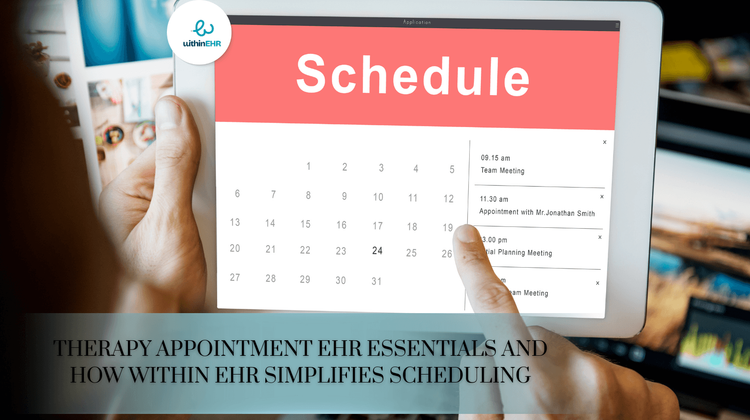
Therapy Appointment EHR Essentials and How Within EHR Simplifies Scheduling
For behavioral health and therapy practices, scheduling is one of the most critical and often most complex administrative tasks. Therapists juggle recurring sessions, cancellations, telehealth appointments, waitlists, progress note deadlines, and multi provider calendars. Having the right Electronic Health Record (EHR) system in place isn’t just helpful it’s essential for maintaining consistent care and operational efficiency.
A modern therapy focused EHR does more than store patient charts. It should streamline the entire scheduling process, reduce administrative burden, and enhance the therapeutic experience for both clinicians and clients. Within EHR is built with these needs in mind, offering intuitive tools that simplify scheduling and empower practices to operate smoothly.
Why Scheduling Matters in Therapy Practices
Effective scheduling directly influences:
- Therapist workload balance
- Clinic revenue and productivity
- Client satisfaction and retention
In behavioral health settings where consistent engagement is crucial, smooth scheduling isn’t optional it’s foundational.
Essential Scheduling Features for Therapy EHRs
1. Intuitive Calendar Management
A therapy EHR should offer a clean, easy to navigate calendar that allows providers to:
- View daily, weekly, or monthly schedules
- Toggle between multiple providers
- Sync appointments across devices
- Instantly update changes or cancellations
- Clinicians need a flexible system that adapts to dynamic schedules.
2. Automated Appointment Reminders
3. Telehealth Ready Scheduling
Modern therapy includes a strong virtual component. EHRs must support:
- Integrated video sessions
- Virtual session documentation
- Easy switching between in-person and remote care
4. Recurring Session Support
A strong EHR should handle:
- Weekly or bi-weekly sessions
- Long-term care plans
- Multi-provider recurring appointments
5. Cancellation & Waitlist Management
6. Real Time Documentation Integration
Scheduling should connect seamlessly with:
- Treatment plans
- Billing
- Outcome measures
This reduces redundancy, saves time, and ensures timely charting.
How Within EHR Simplifies Therapy Scheduling
Within EHR is purpose-built for therapy practices, offering a mobile-friendly, intuitive scheduling experience.
Smart, User-Friendly Scheduling Dashboard
Within EHR’s scheduling interface is designed to be fast, clean, and easy to navigate. Providers can:
- View all clinicians on one calendar
- Add appointments in seconds
- Access schedules from desktop or mobile
The streamlined interface dramatically reduces administrative time.
Automated Reminders & Confirmations
Within EHR sends automated reminders and confirmations so clients stay engaged and informed. Practices benefit from:
- Increased session consistency
- Improved therapist utilization rates
Built-In Telehealth Tools
With telehealth integrated directly into the scheduling system, clinicians can:
- Send secure video links automatically
- Document telehealth sessions quickly
- Transition between in-person and telehealth effortlessly
Within EHR eliminates the need for third-party telehealth platforms.
Effortless Recurring Appointments
Setting recurring therapy sessions is simple and customizable:
- Weekly, bi-weekly, or monthly recurring options
- Long-term care planning
- Editable repeat schedules
This helps clinicians maintain consistent appointment structures.
Intelligent Waitlist Management
Within EHR automatically notifies staff when openings arise and helps match patients from the waitlist to available times. This ensures maximized productivity and reduces revenue loss.
Seamless Flow Between Scheduling, Notes, and Billing
Within EHR connects the full clinical workflow:
- One click from appointment → progress note
- Automatic creation of billing events
- Session data tied to treatment plans
Clinicians spend less time switching systems and more time providing care.
See How Easy Scheduling Can Be With Within EHR
Ready to streamline your therapy appointment scheduling? Schedule a demo with Within EHR today and discover a smarter, simpler way to manage your practice.
Frequently Asked Questions
Q: Does Within EHR support recurring therapy appointments?
A: Yes, recurring appointments are built in and can be customized to fit long term therapy schedules.
Q: Can patients receive appointment reminders through Within EHR?
A: Absolutely. Automated SMS and email reminders help reduce no-shows and keep clients on track.
Q: Is telehealth integrated into the scheduling system?
A: Yes. Telehealth features including secure video links are automatically connected to scheduled sessions.
Q: Can multiple therapists share a calendar?
A: Within EHR allows for multi provider calendar views, making coordination simple for group practices.
Q: How does Within EHR improve workflow efficiency?
A: Scheduling, documentation, and billing are all connected, reducing duplication and saving valuable time for clinicians.
Ready to streamline your practice?
See how Within EHR's AI-native tools can transform your workflow.
Book a demoYou May Also Like

Top 7 Reasons Providers Switch From Athena EHR to Within EHR
Athenahealth (also known as Athena EHR) is one of the most widely recognized EHR systems in the healthcare industry. It’s robust, comprehensive, and deeply embedded in many organizations — but these same strengths can also create challenges for small practices, therapists, and independent providers.

How Within EHR Simplifying Daily Tasks for Physicians
Physicians juggle countless responsibilities each day documenting patient encounters, reviewing labs, coordinating care, managing inbox messages, and ensuring compliance, all while striving to deliver high-quality care.